Scene 01
Start with the Right Template
Begin with a proven layout instead of formatting from scratch. Pick a style that fits your target role and switch later if needed.
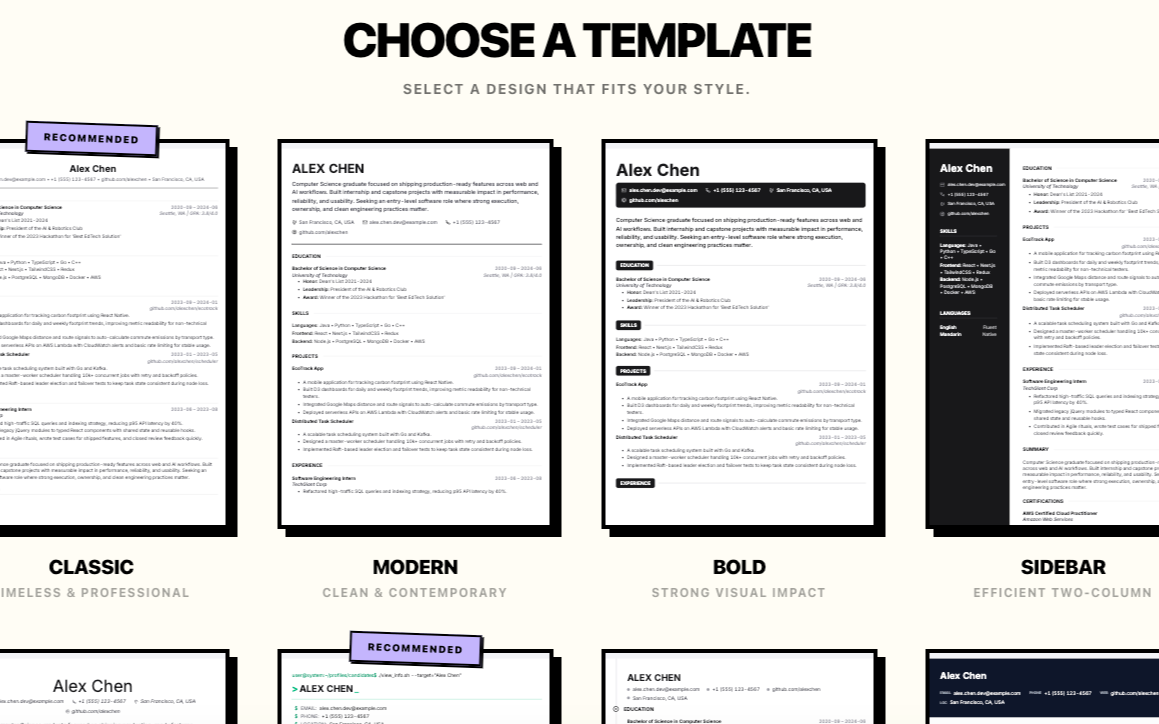
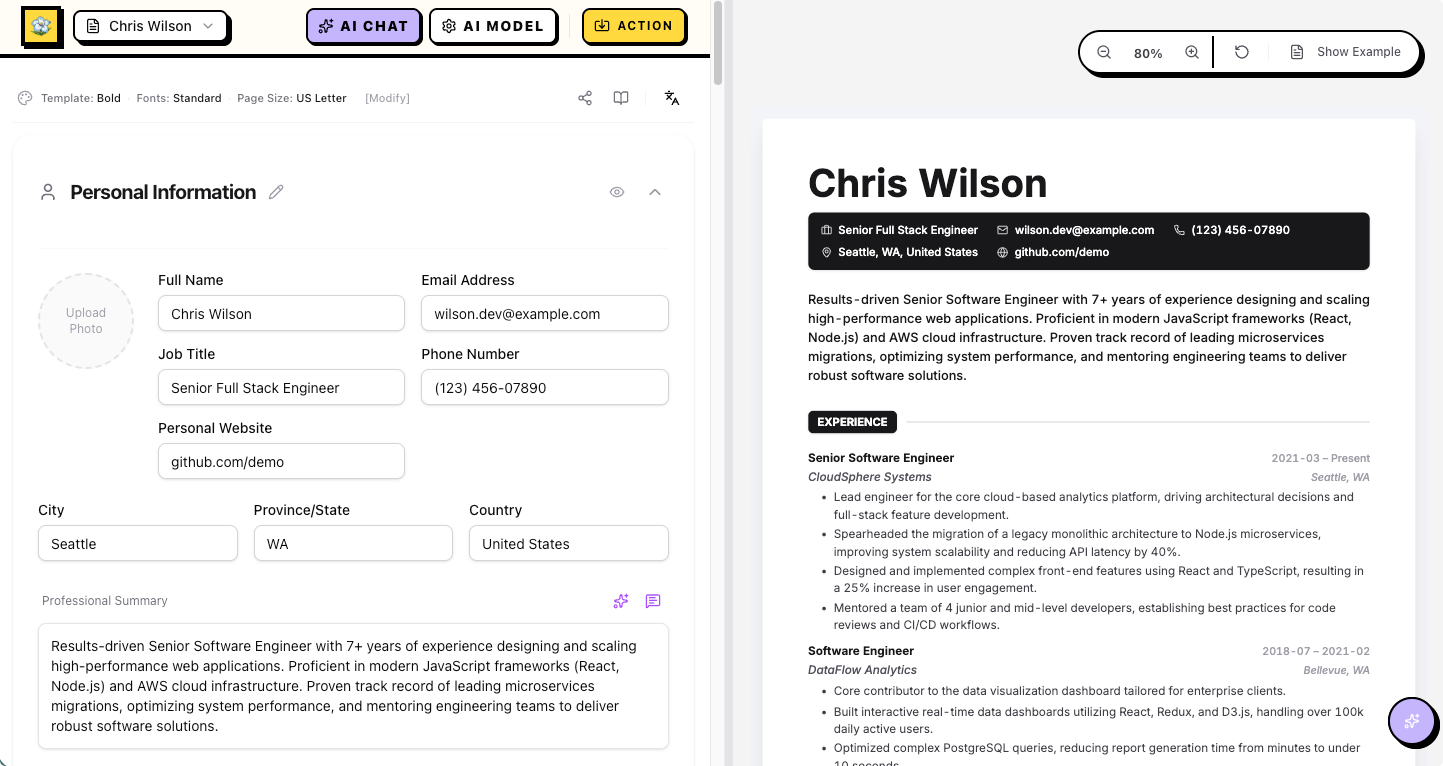
This section walks through the real workflow with actual product screens: pick a template, align to JD, run AI diagnosis, rewrite with AI Chat, then polish section by section.
Begin with a proven layout instead of formatting from scratch. Pick a style that fits your target role and switch later if needed.
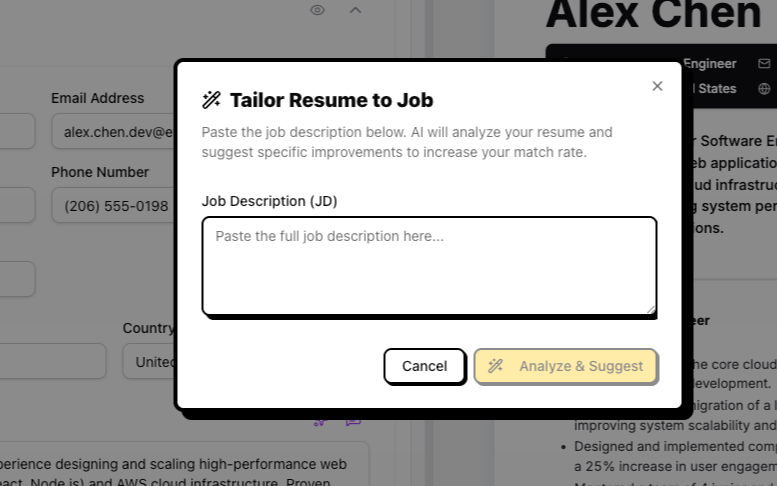
Paste a job description and get focused suggestions to improve keyword match and role alignment before you apply.
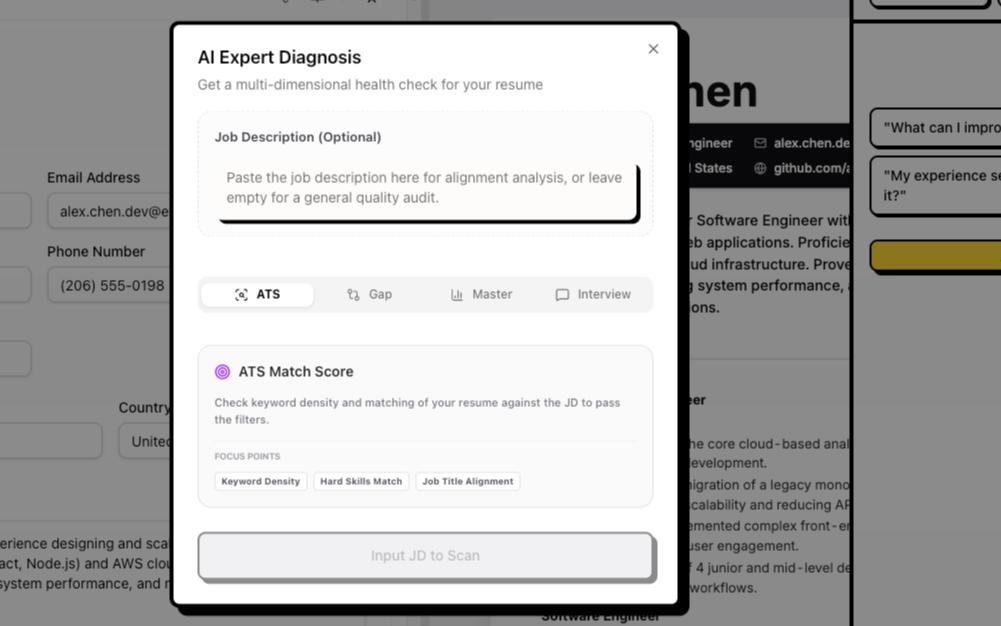
Review ATS match, skill gaps, interview readiness, and overall quality in one place, then prioritize what to fix first.
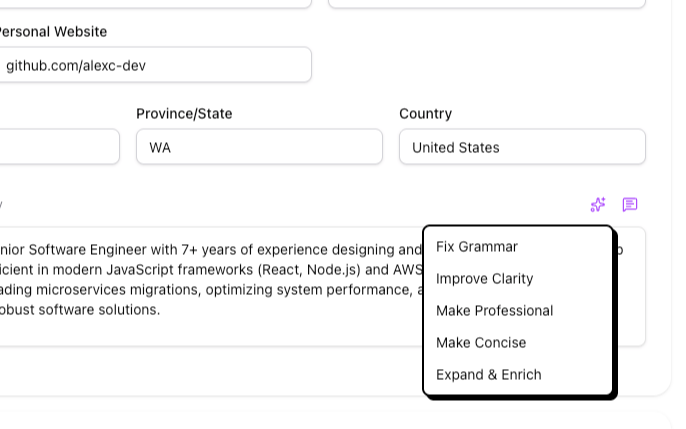
Rewrite bullets, tighten wording, and adjust tone right inside the editor so each revision stays fast and focused.
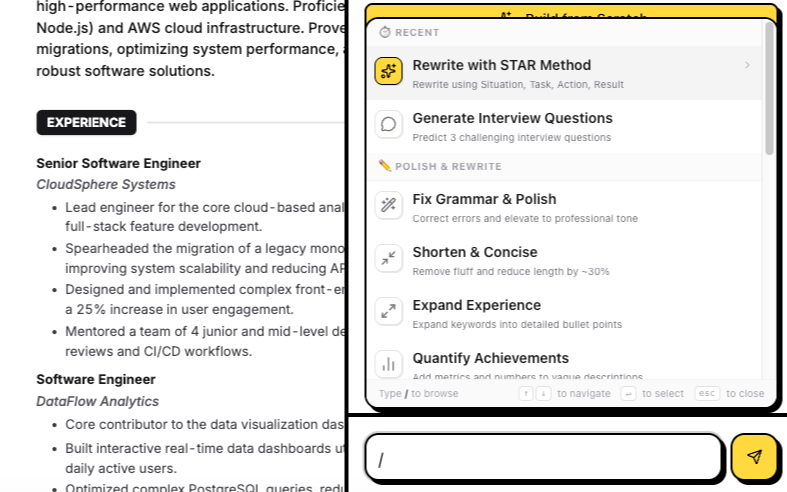
Apply STAR rewrites, concise mode, and metric-focused improvements to a single section instead of rewriting everything manually.
Everything you need to move from draft to targeted applications faster.
Chat with AI for instant advice, auto-bold key phrases, and tailor content to specific job descriptions.
Real-time split-screen preview. Type and see your changes instantly without switching windows.
Your data lives on your device. We use local storage to ensure your personal information remains private.
Manage different resume versions for cross-functional applications. Customize each one for a specific job target.
Build your dream resume with advanced AI in a workflow designed for real job applications, not just polished demos. Iris Resume gives you ATS resume templates that keep structure clean while helping you focus on what actually matters: clear impact, role-relevant keywords, and readable formatting across hiring systems.
Every draft stays local-first in your browser, and you can decide when to use AI with your own provider and API key. That means you keep control over privacy and costs while still getting practical support for rewriting bullets, matching JD language, and creating targeted resume versions for different roles or industries.
If you want to move faster, start from role-specific examples, then open the editor to tailor your content line by line. You can manage multiple versions, export clean PDFs, and keep iterating with a consistent process that is optimized for both recruiters and ATS parsing quality.